
If you ever forget to recharge your cell phone's battery, you could use one or all of the following, as a back-up:
- You already have a charger at home. Buy a spare charger, and leave it at your workplace - don't bring that back home.
- If you're using one of the Motorola or Sony Ericsson models, you can make use of the USB cable to recharge your cell phone. These days, most of the cell phone models are shipped with proprietary USB cables. Have this cable in your laptop case, all the time.
- Buy a car charger, and leave it in your car.
- Buy a spare battery. Make sure you recharge all batteries promptly.
Scenario
Now, what would you do if you ever forget to recharge your laptop, or carry it's charger to your workplace? I can think of just two options:
- Buy a spare laptop charger
- Buy a spare laptop battery
Proposed Innovation
As I was thinking through this problem the other day, I had an idea. What if your laptop could draw power from another laptop? What if we had a cable that could draw power from one laptop and transmit the same into another?
For instance, if Dell is running out of power, it can connect to HP and draw power:
HP (Donor/Power-Out) -> Cable -> Dell (Receiver/Power-In)

Note: The above images are used purely for representational purposes.
Each laptop should contain a Power-In, and a Power-Out port. The laptop that transmits power, would be called a Donor, and the one that needs power, will be called a Receiver. The imaginary cable that we're talking about, will have two unique pins on it's either ends to fit into the corresponding Power-In, or Power-Out ports, depending on the situation.
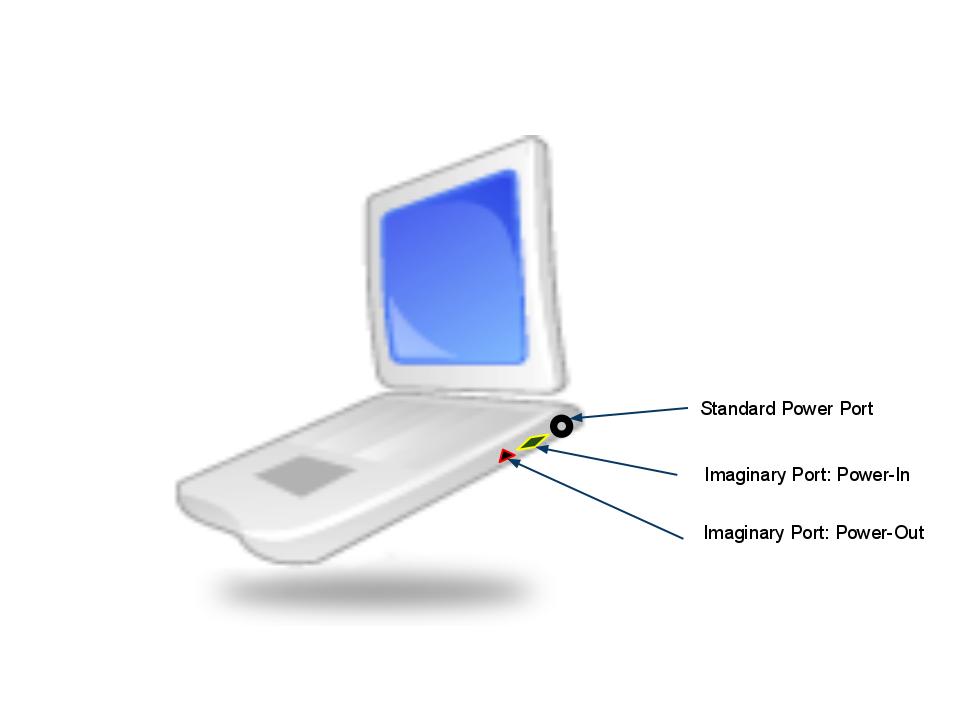 Now that we've created some science-fictional characters, I'm going to name the imaginary Power-In and Power-Out ports as Universal Power Source (UPS) ports, and the imaginary cable, as UPS cord.
Doesn't that sound interesting?
Imaginatively Yours,
G U R U
